Merge Review
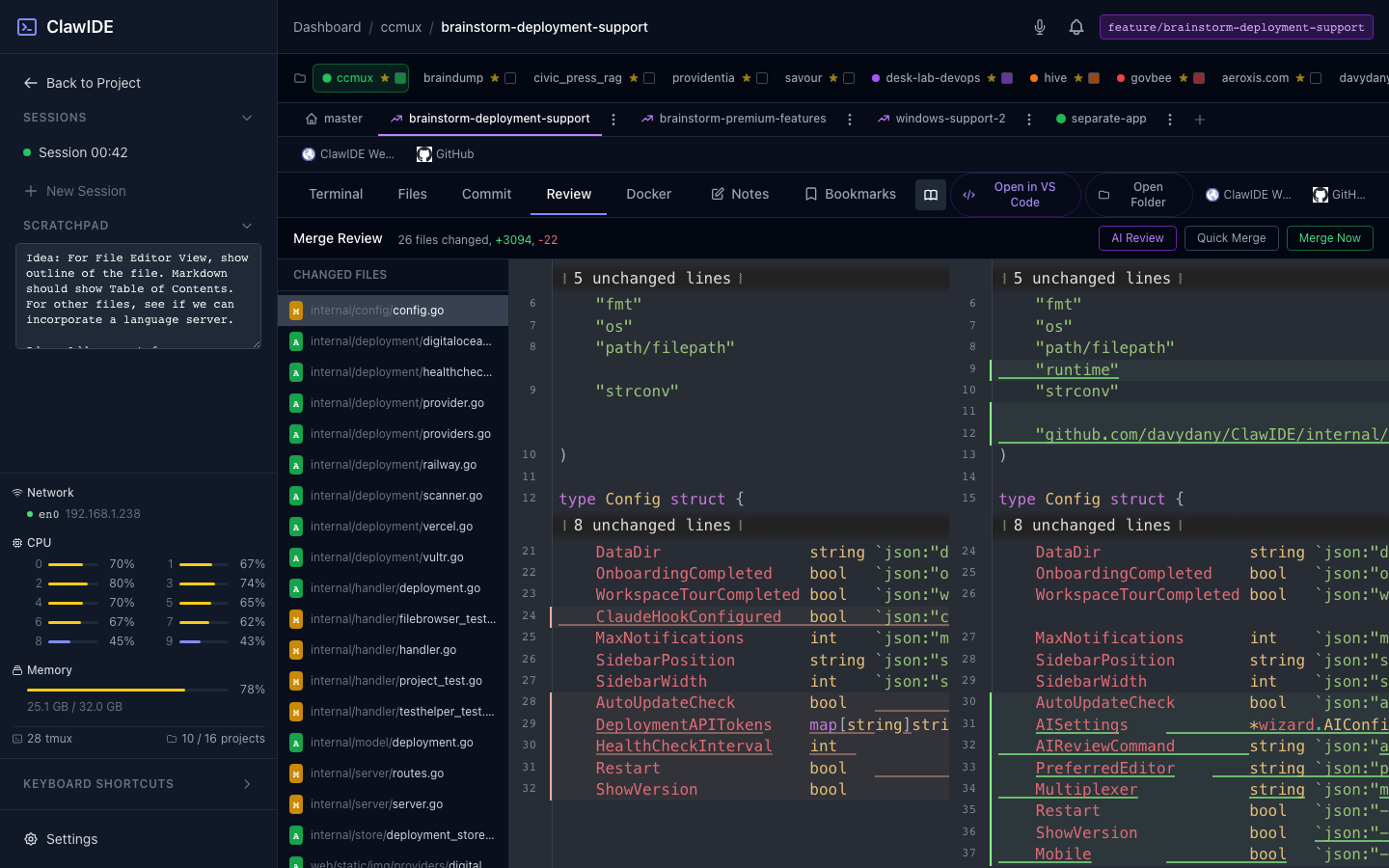
Merge review provides a side-by-side diff viewer for inspecting changes before merging a feature branch back into the main branch. It’s integrated directly into feature workspaces.
Reviewing Changes
- Open a feature workspace.
- Navigate to the Merge Review tab.
- ClawIDE displays all changed files between the feature branch and the parent branch.
- Click on any file to see a side-by-side diff with additions and deletions highlighted.
Merging
After reviewing:
- Click Merge to merge the feature branch into the parent branch.
- ClawIDE performs the git merge and reports success or any conflicts.
If there are merge conflicts, resolve them in the terminal or file editor, then retry.
When to Use
Merge review is designed for the feature workspace workflow — you create a feature, do your work in isolation, review the diff, and merge when ready. For ad-hoc branch merges outside of feature workspaces, use the git CLI in a terminal session.